Choosing Your Blockchain
How to choose and activate the right blockchain for your store.
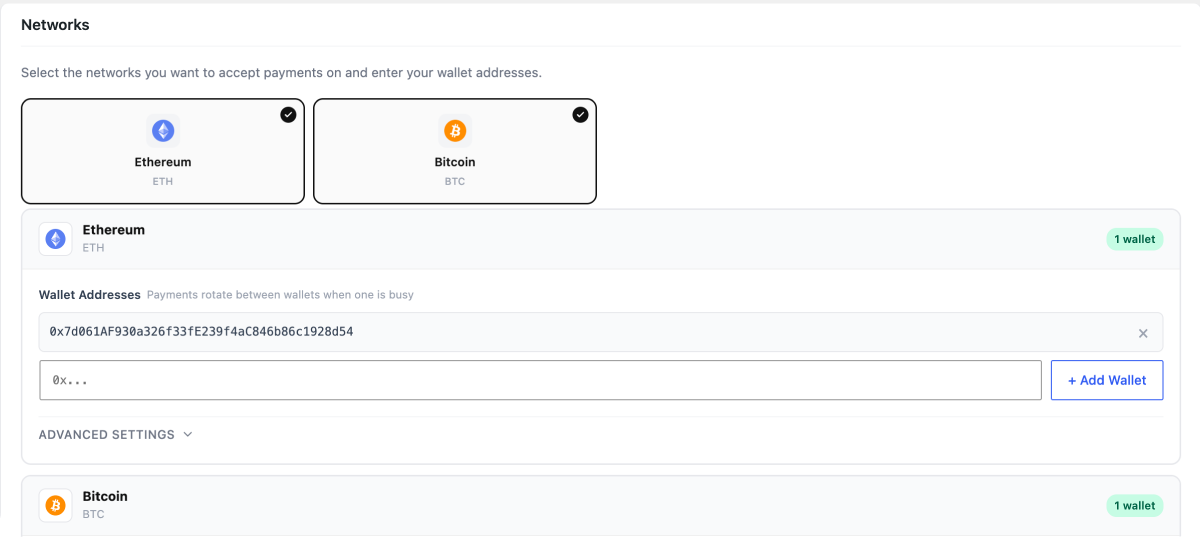
AshePay free supports Ethereum and Bitcoin simultaneously — no special activation needed. Add a wallet address for each chain in AshePay → Settings → Networks, toggle it on, and both will be available at checkout. This page explains what to consider when deciding which to enable. On Pro, all 8 chains can be active at the same time.
Enabling chains (free version)
In AshePay → Settings → Networks, you will see Ethereum and Bitcoin listed. To activate a chain:
- Toggle the chain on using the switch next to its name
- Enter at least one wallet address in the wallet field
- Click Save changes
Both Ethereum and Bitcoin can be active at the same time. Customers will see a selector at checkout and can pick which one to pay with.
Which blockchain should I choose?
There is no single right answer — it depends on your customers. Here is a practical breakdown:
Choosing by use case
- Broadest wallet support → Ethereum — MetaMask and most browser wallets support ETH natively. Most crypto users hold some ETH.
- Bitcoin maximalists → Bitcoin — The only option for customers who only hold BTC.
- DeFi / NFT audience → Ethereum — Crypto-native users almost always have ETH.
- Lowest fees → Depends — Bitcoin fees are low for simple transactions; Ethereum fees vary with network congestion.
Enable both. Ethereum and Bitcoin are both included in the free version. Add a wallet address for each and turn them both on — customers pick whichever they prefer at checkout. There is no cost or configuration overhead to supporting both.
Enabling chains on Pro
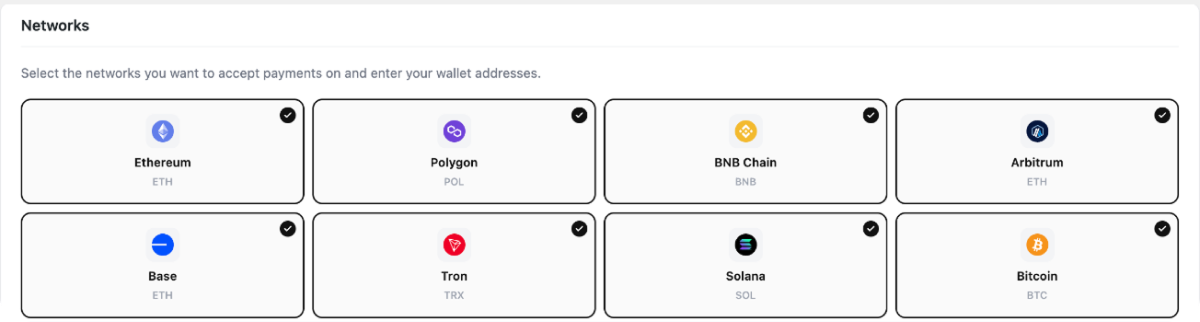
On AshePay Pro, you can toggle each of the 8 chains on or off individually in AshePay → Settings → Networks. You do not need to accept all 8 — only enable the ones you have wallet addresses for.
What tokens are available per chain?
In the free version, only native coins are supported:
- Ethereum — ETH only
- Bitcoin — BTC only
On Pro, stablecoins and additional chains are available:
- Ethereum, Arbitrum, Base — ETH, USDT (ERC-20), USDC (ERC-20)
- Polygon — POL, USDT, USDC
- BNB Chain — BNB, USDT (BEP-20), USDC (BEP-20)
- Solana — SOL, USDT (SPL), USDC (SPL)
- Bitcoin — BTC only
- Tron — TRX, USDT (TRC-20)
You cannot add custom or unlisted tokens — only the pre-configured tokens above are supported.