Analytics Dashboard
Use AshePay Pro's analytics page to track revenue, success rate, and payment breakdown by chain and token.
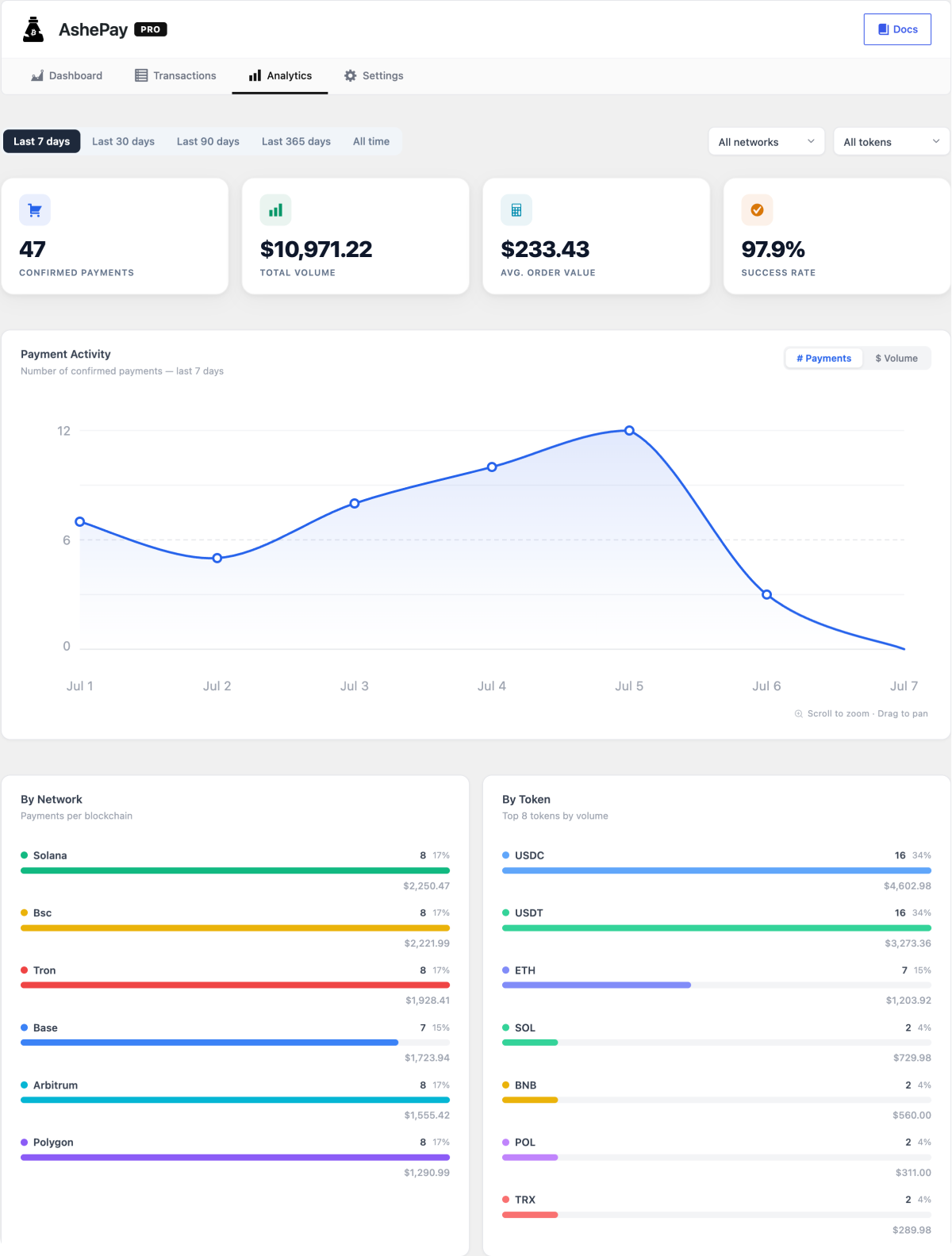
AshePay Pro includes a dedicated analytics page at AshePay → Analytics. It gives you a historical view of your crypto revenue — broken down by time, chain, and token.
AshePay Pro required. The Analytics page is only available with an active Pro license. The menu item appears automatically after Pro is activated.
Summary stats
At the top of the Analytics page, four key numbers are always visible:
- Total revenue — The sum of all confirmed payments in the selected period, in your store's fiat currency.
- Completed payments — The count of confirmed transactions.
- Average order value — Total revenue divided by completed payments.
- Success rate — Percentage of resolved orders (confirmed + cancelled + expired) that were confirmed. Shows you what share of customers who placed a crypto order actually completed payment.
Period filter
Use the period selector to change the time range for all stats and charts:
- Last 7 days
- Last 30 days (default)
- Last 90 days
- Last 365 days
- All time
You can also set a custom date range using the date pickers to zoom into any specific period.
Daily revenue chart
The chart shows your confirmed payment count and revenue day by day for the selected period (up to 90 days of daily data). Use it to spot seasonal patterns, the impact of promotions, or simply see your busiest payment days.
By-chain breakdown
A horizontal bar chart shows which blockchains generated the most payments in the selected period — ranked by payment count, with the fiat revenue shown alongside. This helps you see which chains your customers actually use so you can prioritize which ones to keep enabled.
By-token breakdown
Shows the top 8 tokens by payment count. Useful for seeing whether customers prefer native coins (ETH, BTC) or stablecoins (USDT, USDC) when given the choice.
Chain and token filters
Use the Chain and Token dropdown filters to narrow all stats to a specific chain or token. For example, filter to Ethereum + USDT to see only USDT ERC-20 revenue for the period.
The CSV export on the Transactions page lets you download the raw data behind these analytics for use in your own spreadsheets or accounting software.